Speed Check-out
Delete the queue and close early
Speed Check-out builds a live queue while your guests wait in line. They tap their wallet pass, your staff retrieve items in parallel, and by the time guests reach the front their items are already waiting.
While Waiting
The queue builds itself
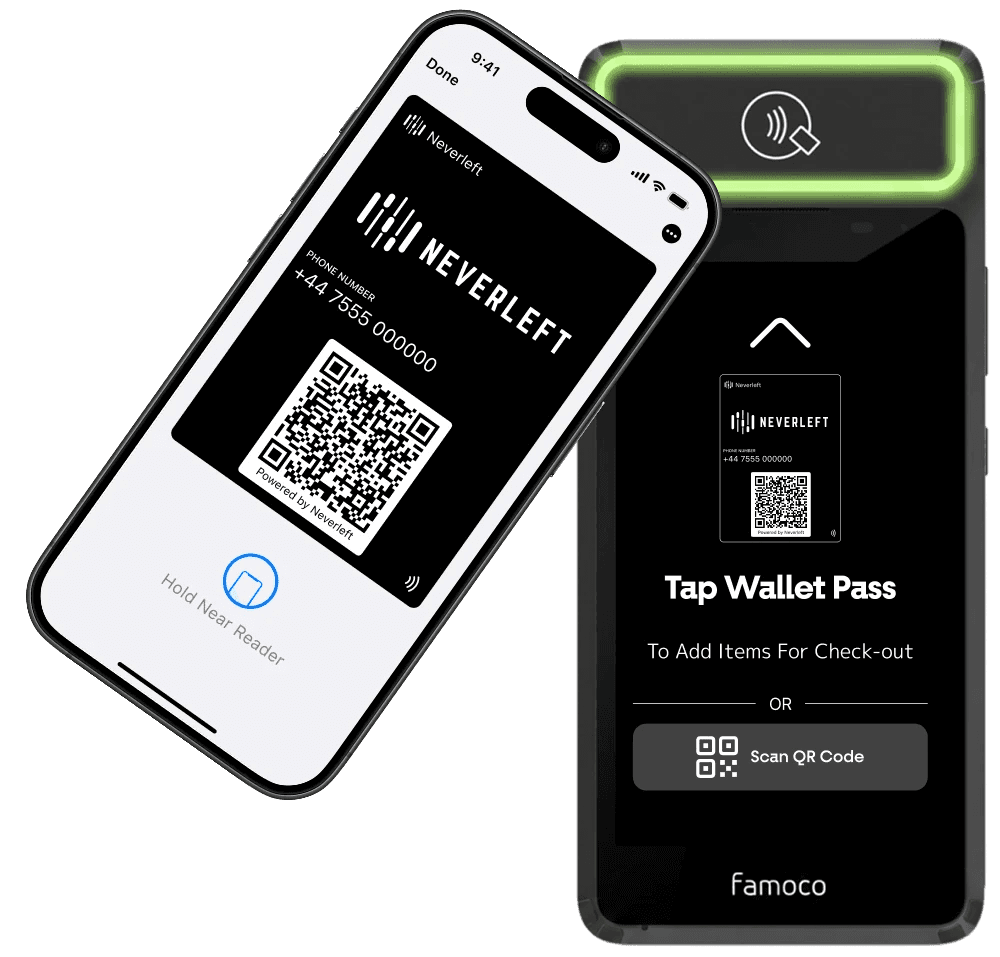
Guests start their own check-out from the line with a single tap of their wallet pass, so the queue of items builds before anyone reaches the counter.
Step 1
Guests tap their wallet pass
When joining the check-out queue, guests tap their wallet pass on the Speed Check-out device.

Step 2
Items join the live queue
Their stored items are instantly added to the live Speed Check-out queue, for the staff to retrieve, while they are still in line.
At the counter
Your team retrieves in parallel
Staff watch the queue build in real time and collect items for several guests in one trip, instead of one by one.

Step 3
The retriever collects multiple items
Working from the live Queue Dispatch screen, the retriever brings multiple guests' items to the front counter at once.

Step 4
Hand over and go
By the time guests reach the front, their items are already waiting. The dispatcher hands them straight back to them and they can go.
Works hand in hand with
Why Speed Check-out
Shorter queues. Faster exits. Happier guests.
Retrieve while guests queue instead of when they arrive, and watch your hand-back times collapse.
Live check-out queue
Every tap adds a guest's items to a live queue your team can see and act on instantly.
Retrieve in parallel
Staff collect items for multiple guests in one trip, instead of one guest at a time.
To see more
Custom Branded Everything
Every touchpoint, unmistakably yours
The entire Speed Check-out flow wears your brand, your logo, your colours, your name. Guests see you, not us.
Customise more on
Get Started
Speed Check-out
Ready to speed up your check-out?
Book a demo and we will show you Speed Check-out running in your branding, from the first tap to the final hand-back.